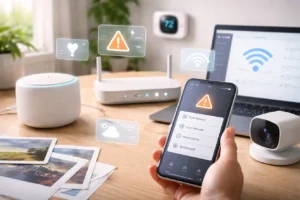
In 2026, the phrase “smart home” no longer sounds futuristic. For many households, connected devices are simply part of everyday living. Lights can adjust automatically during the evening, thermostats learn temperature preferences, and security cameras send alerts directly to a phone.
I still remember my first attempt at building a smart home back in 2019. I bought a single smart bulb thinking it would be easy to set up. Instead, I spent nearly two hours trying to connect it to Wi-Fi. Eventually I discovered that the bulb required a separate hub just to enable basic features like dimming.
At the time, smart home technology felt complicated and fragmented.
Today things are very different. Thanks to improved compatibility standards such as Matter and newer networking technologies like Thread, devices from different brands can often work together more easily.
If you’re curious about smart homes but unsure where to begin, this guide explains what a modern smart home actually looks like and how you can start building one without feeling overwhelmed.
Understanding the Modern Smart Home
A common misconception is that a smart home simply means controlling appliances with a mobile app. While that was mostly true in the early days, the concept has evolved significantly.
Today, a well-designed smart home focuses more on automation than manual control.
For example, instead of opening an app to turn on a coffee maker each morning, a smart home might automatically start the process when your alarm goes off or when motion is detected in the kitchen.
The goal isn’t to add more technology for its own sake. Instead, the goal is to reduce small daily tasks so the home quietly handles them in the background.
The Three Core Components of a Smart Home
Most modern smart home setups rely on three basic elements working together.
1. The Controller or Hub
The hub acts as the “brain” of the system. It sends commands and coordinates communication between devices.
Popular examples include:
- Apple HomePod mini
- Google Nest Hub
- Samsung SmartThings Station
These devices allow smart lights, sensors, and other accessories to communicate with each other.
Without a hub or controller, devices may still function individually, but they won’t easily coordinate automation routines.
2. Communication Protocols
Devices also need a common language to communicate. In recent years, the industry has started to converge around a shared standard.
The protocol Matter was designed to improve compatibility between different brands and ecosystems. Devices that support this standard can often be controlled through multiple platforms.
This means you can potentially use the same device with systems such as:
- Apple Home
- Google Home
- Amazon Alexa
The goal is to reduce the frustration that once came from devices only working within a single ecosystem.
3. Network Connectivity
Finally, devices must communicate over a reliable network.
Traditional smart homes relied heavily on Wi-Fi. However, as more devices connect to the same router, network congestion can become an issue.
That’s why many newer devices also support Thread.
Thread works as a mesh network, meaning each powered device can help extend the signal to other devices nearby. This improves reliability and reduces communication delays.
Practical Benefits of a Smart Home
Some people assume smart homes are mostly about novelty features. In reality, the most useful benefits tend to fall into three categories: energy management, security, and convenience.
Smarter Energy Management
Energy efficiency has become an important focus for many homeowners.
Smart thermostats are a good example. Devices like the Google Nest Thermostat can automatically adjust heating or cooling schedules based on daily routines.
Instead of maintaining the same temperature all day, the thermostat can reduce energy use while the home is empty and restore comfort before residents return.
Another helpful device is automated window shades. These can close during the hottest part of the day to help maintain indoor temperatures naturally.
Small improvements like these can contribute to better energy management over time.
Improved Home Awareness
Security technology has also improved significantly.
Modern smart cameras and doorbells often include motion detection features that send notifications when activity is detected.
Some devices can also identify common situations, such as package deliveries or familiar visitors, reducing unnecessary alerts.
While traditional alarm systems still exist, many homeowners appreciate the flexibility of smart devices that provide real-time updates directly to their phones.
Everyday Convenience
Sometimes the most valuable smart home features are also the simplest.
Motion-activated lights can automatically illuminate a hallway at night. Smart plugs can turn off devices that might otherwise remain on standby power. Automated routines can prepare the home for bedtime by dimming lights and adjusting temperatures.
These small automations add up over time and make daily routines feel smoother.
A Simple Way to Start Building a Smart Home
One mistake beginners often make is trying to automate everything at once.
Instead of installing dozens of devices immediately, I usually recommend starting with one specific area of the home and expanding gradually.
Entryway: Security and Convenience
The entryway is a practical starting point.
Devices such as smart locks and video doorbells allow homeowners to monitor their front door remotely and receive alerts when visitors arrive.
Some newer smart locks even support proximity features that unlock automatically when an authorized phone approaches.
Living Room: Lighting and Entertainment
Lighting is often the easiest place to begin.
Replacing a few traditional bulbs with smart bulbs allows you to create simple routines such as “movie night,” which dims the lights and turns on certain devices with a single command.
Adding a smart plug to a television or entertainment system can also reduce standby power usage.
Bedroom: Better Sleep Routines
Another useful addition is a smart bedside lamp designed to simulate sunrise.
Instead of waking abruptly to a loud alarm, the light gradually brightens over several minutes, helping the body transition naturally into the day.
Many people find this type of lighting routine creates a calmer start to the morning.
Privacy and Safety Considerations
Whenever new technology enters the home, privacy naturally becomes an important question.
Fortunately, many manufacturers are now prioritizing local processing. This means certain tasks—such as voice recognition or motion analysis—can occur directly on the device instead of being processed remotely.
When evaluating devices, it’s helpful to look for features like:
- local control support
- on-device processing
- clear privacy settings
Most modern smart speakers also include physical microphone mute switches, allowing users to disable listening functions whenever they choose.
Using strong account security, such as passkeys or biometric authentication, can further protect smart home accounts.
Common Smart Home Issues and Simple Fixes
| Issue | Possible Cause | Quick Solution |
|---|---|---|
| Device fails to connect | Network mismatch | Ensure the device supports your Wi-Fi band during setup |
| Slow response time | Cloud-based automation | Use devices that support local control |
| “No response” errors | Hub communication issue | Restart the smart home hub |
| Battery draining quickly | Weak signal | Add a powered device to extend the network |
These simple troubleshooting steps solve many common setup problems.
Frequently Asked Questions
Does a smart home work without internet access?
Some features may require internet connectivity, but many local automations can continue working if devices communicate through the home network.
Can older appliances still be used?
Yes. Smart plugs allow traditional appliances to be controlled remotely as long as the appliance has a physical power switch.
Are smart homes expensive to maintain?
Most devices require only occasional battery replacements for sensors. Many systems do not require monthly fees unless optional cloud services are used.
Final Thoughts
Smart homes have evolved significantly over the past decade. What once required complicated setups and proprietary hubs is gradually becoming more standardized and easier to manage.
In my experience, the best approach is to start small, experiment with a few devices, and focus on solving everyday inconveniences rather than trying to automate everything at once.
By choosing devices that support open standards such as Matter, you can build a flexible system that adapts as new technology arrives.
A smart home doesn’t need to feel like a laboratory full of gadgets. When set up thoughtfully, it simply becomes a home that quietly helps with daily routines.