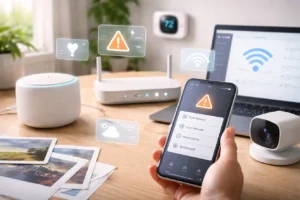
I remember the first moment I realized how deeply technology had entered my home.
One evening, I was speaking with a friend about trying a specific brand of vintage coffee. It was just a casual conversation. Later that night, I noticed something interesting—my smart refrigerator displayed a recommendation for that exact type of coffee on its screen.
It wasn’t alarming, but it was a reminder that modern devices are constantly learning patterns, preferences, and habits to make our lives more convenient.
By 2026, the “smart home” will have evolved far beyond simple connected gadgets. Devices now work together as part of a larger digital ecosystem powered by artificial intelligence, cloud services, and automation. Lights respond to voice commands, thermostats learn daily routines, and security systems can detect motion with impressive accuracy.
But with that convenience comes a new responsibility: protecting the privacy and security of the connected environment inside our homes.
In my experience, smart home security is no longer just about having a strong Wi-Fi password. It’s about understanding how devices communicate, what data they collect, and how we can build simple habits that keep our home networks secure.
Over the past few years, I’ve developed a small personal “security checklist” for managing smart devices. These aren’t complicated technical procedures—they’re simple precautions that any homeowner can adopt.
Here are the strategies that have helped me keep my smart home both convenient and secure.
1. Create a Family Verification Phrase for Important Requests
One topic that has gained attention recently is AI-generated voice replication. With modern tools, software can recreate voices from small audio samples available online.
While this technology has many legitimate applications—such as accessibility tools or media production—it has also encouraged people to think more carefully about verifying sensitive requests.
One simple solution my family uses is a shared verification phrase, sometimes called a “digital safe word.”
How It Works
If a family member contacts someone asking for sensitive information—such as account access, passwords, or emergency assistance—we confirm the shared phrase before acting on the request.
This might sound unusual at first, but it works similarly to the security questions used by banks and online services.
In daily life, we rarely need to use it. However, having a simple verification step provides extra reassurance when something unexpected happens.
In a world where communication increasingly happens through devices and apps, a small human verification step can go a long way toward preventing confusion or mistakes.
2. Choose Security Cameras With Local Processing
Smart security cameras are among the most popular connected home devices, and they can provide real peace of mind when used responsibly.
Earlier generations of cameras relied heavily on cloud processing. Video clips were uploaded to remote servers where software analyzed them to detect motion, people, or vehicles.
Today, many modern cameras include local AI processing, which allows the device to analyze video directly on the camera itself.
Brands such as Reolink and Aqara have released cameras capable of performing object recognition without sending all footage to remote servers.
Why Local Processing Matters
When a camera processes information locally:
- Video analysis happens directly on the device
- Only important alerts or clips are transmitted
- Homeowners may have more control over storage
Many of these cameras also support local storage options, including microSD cards or network-attached storage systems (NAS). This allows users to keep recordings within their home network rather than relying entirely on remote services.
For homeowners who care about privacy, choosing devices with local processing and encrypted notifications can provide a comfortable balance between security and convenience.
3. Review Privacy Settings on Your Voice Assistant
Voice assistants have become a central part of many smart homes. They help manage lights, schedules, reminders, music, and automation routines.
Popular platforms such as
- Apple Siri
- Amazon Alexa
- Google Gemini
offer a wide range of features designed to improve convenience.
However, many of these assistants also include optional settings that allow users to share interaction data to help improve the service, which can raise concerns about user privacy and data security.
Because of this, I’ve made it a habit to review assistant privacy settings regularly.
My Monthly Smart Home Check
Once a month, I spend a minute doing a quick review:
- clearing stored voice interaction history if needed
- reviewing personalization settings
- confirming that privacy preferences match my comfort level
These checks are simple, but they help me stay aware of how my devices interact with my home environment.
Most assistants make these settings easy to find inside their mobile apps.
Taking a moment to review them ensures that your smart assistant works in a way that aligns with your personal privacy preferences.
4. Don’t Forget Physical Security for Smart Devices
When discussing smart home security, people often focus only on digital threats. However, physical security is equally important.
Outdoor smart devices, including doorbells, cameras, and sensors, are susceptible to environmental exposure and potential tampering if not installed properly.
I learned this lesson while helping a neighbor troubleshoot a malfunctioning doorbell camera. Although the issue turned out to be harmless, it reminded me how easy it is to overlook the physical side of device security.
Practical Steps for Securing Outdoor Devices
A few simple precautions can help protect smart hardware:
• Use security screws (Torx or hex) when mounting devices
• Install cameras in visible but difficult-to-reach locations
• Route cables through walls or protective conduits
• Check devices periodically to ensure they remain securely installed
If you use cameras powered by Power over Ethernet (PoE), it’s also wise to ensure cables are not exposed in areas where someone could easily disconnect them.
These measures are simple, but they reduce the likelihood of accidental damage or unauthorized access to the hardware itself.
Frequently Asked Questions
Are biometric smart locks safer than keypad locks?
Modern biometric locks can be very secure when purchased from reputable manufacturers. Many new models include liveness detection, which helps ensure that the system is interacting with a real fingerprint or face rather than a static image.
While no technology is completely perfect, biometric locks can offer a convenient and secure alternative to traditional keypads when paired with strong account passwords and regular software updates.
Should smart speakers be turned off when leaving the house?
Most smart speakers include a physical microphone mute button. When this switch is activated, it disables the microphone hardware directly.
Turning on the mute switch is an easy and practical solution if you want more privacy while you are away.
Can smart TVs access personal information?
Smart televisions often collect limited usage data to support features such as software updates and personalized recommendations.
If your TV includes optional camera features or gesture control, many models provide privacy settings or physical camera covers that allow you to disable those functions when not in use.
Is it safe to connect smart home devices to a work email?
Many technology professionals recommend using a separate email account for smart home systems.
Keeping smart devices connected to a dedicated home account can make notifications easier to manage and help keep work systems separate from personal technology, thereby reducing the risk of potential security breaches that could arise from linking work emails to personal devices.
Final Thoughts
Smart homes have transformed the way we interact with our living spaces. Devices now help manage lighting, climate, security, and entertainment with minimal effort.
At the same time, these conveniences work best when paired with thoughtful security habits.
The good news is that maintaining a secure smart home does not require complicated technical skills. Small steps—such as reviewing privacy settings, choosing devices with local processing, and securing hardware installations—can make a meaningful difference.
For me, the goal isn’t to remove technology from the home. Instead, it’s about using connected devices intentionally and staying aware of how they function.
When approached with that mindset, a smart home can remain both highly convenient and comfortably private.