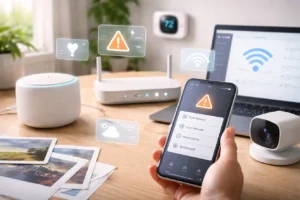
If you’ve upgraded your internet recently, there’s a good chance you now have extremely fast speeds. Many homes in 2026 are running gigabit fiber connections, which provide internet speeds of up to 1 gigabit per second, paired with modern routers that support Wi-Fi 7, the latest standard for wireless networking. On paper, this technology promises incredibly rapid downloads and smoother connections for dozens of devices.
But here’s the frustrating part: many homeowners are discovering that fast internet doesn’t always mean reliable internet.
You might have experienced situations like these:
- Your smart doorbell disconnects from the network.
- Your smart lights respond several seconds after a voice command.
- Your outdoor security camera suddenly drops offline.
- Your smart speaker says it can’t reach the network.
If this sounds familiar, you’re not alone. As someone who spends a lot of time testing smart home devices and optimizing home networks, I’ve noticed that connectivity—not speed—is the real challenge in modern smart homes.
The reason comes down to physics and device congestion.
Wi-Fi 7 uses the 6 GHz spectrum, which allows higher speeds but has one major limitation: it struggles to travel through walls, floors, and thick building materials. That means the signal that looks strong in your living room may weaken dramatically in a hallway, garage, or front porch.
At the same time, the number of connected devices in a typical smart home has exploded. A modern household might have:
- smart bulbs
- security cameras
- voice assistants
- smart thermostats
- sensors
- smart TVs
- laptops and phones
- streaming devices
- gaming consoles
It’s not unusual for a home to have 40–70 connected devices.
Because of this, creating a resilient Wi-Fi environment is more important than simply chasing faster speeds.
Below are three practical strategies that can dramatically improve the reliability of your smart home network in 2026.
1. Master Mesh Backhaul for Consistent Coverage
Mesh Wi-Fi systems, designed to spread wireless coverage across the house, have become popular among homeowners.
Popular systems like Amazon eero and Google Nest WiFi use multiple nodes placed throughout your home. These nodes communicate with each other to eliminate dead zones.
However, we often overlook an important detail: the communication between those nodes.
The Hidden Problem With Wireless Backhaul
When mesh nodes connect wirelessly, they must spend a significant amount of time transmitting data between nodes instead of to your devices.
This process is called wireless backhaul.
In practice, this means:
- Some bandwidth is constantly reserved for node-to-node communication.
- Latency increases slightly.
- Devices may respond slower when the network becomes busy.
For daily browsing, this might not matter much. But for a smart home—where devices send frequent small commands—it can create noticeable delays.
You might ask a voice assistant to turn on the lights, and the lights respond two or three seconds later.
The Simple Fix: Ethernet Backhaul
If your home has Ethernet wiring, you can dramatically improve performance by connecting mesh nodes directly to Ethernet ports.
This approach is called Ethernet backhaul.
When nodes communicate through wired connections instead of wireless signals, several things improve:
- Wi-Fi bandwidth is fully available for your devices
- network latency decreases
- smart devices respond faster
- coverage becomes more stable
In my experience, switching to Ethernet backhaul, which is a wired connection that enhances network performance, is one of the biggest upgrades you can make to a smart home network.
You can still reduce wireless congestion and improve stability by wiring only two of your nodes.
2. Reduce Wi-Fi Congestion With Thread Devices
Another major shift happening in smart homes is the move away from Wi-Fi for smaller devices.
In the early days of smart homes, almost every device used Wi-Fi. But this created heavy network congestion as more devices were added, leading to slower response times and potential connectivity issues for users.
Today, many new smart devices support Thread.
Thread is designed specifically for low-power smart home devices such as
- lightbulbs
- sensors
- smart switches
- door locks
- motion detectors
Instead of connecting directly to your Wi-Fi router, Thread devices form their mesh network and communicate with each other.
Only a single device—called a Thread Border Router—needs to communicate with your main network.
Examples of devices that can act as Thread Border Routers include:
- Apple TV 4K
- HomePod
- certain models of eero routers
Why Thread Makes Smart Homes More Reliable
Thread helps your home network in several ways.
First, it removes traffic from your Wi-Fi network. Instead of dozens of devices constantly talking to your router, Thread devices communicate within their system.
Second, Thread creates a self-healing mesh network. If one device stops working, the others automatically reroute communication.
Third, Thread devices typically use very little power, which means better battery life for sensors and switches.
From a practical perspective, this means your Wi-Fi router can focus on high-bandwidth devices like
- laptops
- smartphones
- TVs
- gaming systems
while your smaller smart home devices operate on a separate, efficient network.
If you’re expanding your smart home in 2026, choosing Matter-over-Thread compatible devices is one of the best ways to keep your network stable, as these devices can communicate seamlessly with each other and improve overall connectivity.
3. Manage Legacy Devices With a Dedicated Network
Not every device in your home supports the latest wireless technology.
Many older smart plugs, bulbs, and sensors still rely on the 2.4 GHz Wi-Fi band, which has been around for years.
These devices work fine, but they can sometimes conflict with modern router features designed for faster devices.
Two settings in particular can cause issues: band steering and airtime fairness.
Understanding Band Steering
Modern routers often try to move devices automatically between different bands:
- 2.4 GHz
- 5 GHz
- 6 GHz
This process is called band steering, and it usually improves performance for smartphones and laptops.
However, some older smart devices become confused when the router constantly shifts them between frequencies.
The result can be:
- devices disconnecting
- connection errors during setup
- inconsistent responsiveness
A Practical Solution: Create a Legacy SSID
One easy solution is to create a separate network name (SSID) dedicated to older devices.
For example:
Main Network
SmartHome-2.4
You can configure the second network to broadcast only the 2.4 GHz band. Then connect all older smart devices to that network.
This keeps your router from pushing unsupported devices onto faster bands.
Adjusting Airtime Fairness
Another setting to review is Airtime Fairness.
This feature prioritizes faster devices so they receive more network time. While helpful for modern hardware, it can cause slower devices to struggle.
If you notice certain smart devices becoming unreliable, temporarily disabling Airtime Fairness can sometimes improve stability, especially for older devices that may not be optimized for newer network technologies.
Frequently Asked Questions
Will a Wi-Fi 7 router make older smart devices faster?
Not directly. Most older smart home devices use 2.4 GHz chips and cannot take advantage of Wi-Fi 7 speeds. However, a newer router is typically better at managing large numbers of devices simultaneously, which can make your smart home feel more responsive overall.
Are Wi-Fi extenders a beneficial solution?
Traditional Wi-Fi extenders often create a second network and may reduce speed because they repeat signals. In many cases, mesh nodes or wired access points provide better performance and reliability than traditional Wi-Fi extenders, which can lead to improved coverage and faster internet speeds throughout the home or office.
How should router antennas be positioned?
If your router has adjustable antennas, try pointing some vertically and others horizontally. Wi-Fi signals radiate outward in a donut-shaped pattern, so varying antenna angles can help distribute the signal more evenly across different floors.
Final Thoughts
Smart homes in 2026 are more powerful and convenient than ever before, but they also require strong and reliable networking foundations.
If there’s one thing I’ve learned while optimizing smart home setups, it’s this: speed alone doesn’t solve connectivity problems.
Instead, reliability comes from a combination of smart decisions:
- wiring mesh nodes with Ethernet when possible
- moving low-power devices to Thread networks
- managing older devices on dedicated Wi-Fi bands
When these strategies work together, your smart home becomes noticeably smoother. Lights respond instantly, cameras stay connected, and voice assistants feel much more dependable.
With the right setup, your network won’t just be fast—it will be stable enough to support the growing ecosystem of smart devices that modern homes rely on every day.