In today’s digital work environment, most people rely on multiple apps to manage their daily tasks. You might use one app for emails, another for notes, a separate tool for project management, and yet another for file storage or communication. While each of these apps is powerful on its own, the real challenge begins when they don’t work together smoothly. This often leads to repeating the same tasks across different platforms, wasting time and creating unnecessary confusion.
Learning smart ways to connect workflows across multiple apps without repeating tasks can completely transform your productivity. Instead of manually copying information from one tool to another, you can create a connected system where apps communicate with each other. This not only saves time but also reduces errors and helps you focus on meaningful work instead of repetitive actions.
Understanding the Problem of Fragmented Digital Workflows
Most productivity issues today are not caused by lack of tools, but by too many disconnected tools. When apps are not integrated, users are forced to switch between platforms and manually transfer data. For example, you might write a task in your notes app, then copy it into your task manager, and later remind yourself again through email or chat.
This fragmentation creates what can be called “workflow duplication.” Instead of working once, you end up doing the same task multiple times in different apps. Over time, this slows down your progress and makes your digital environment feel chaotic.
The main issue is not the apps themselves but the lack of connection between them. When workflows are not synchronized, even simple tasks become time-consuming. The solution lies in building a connected digital system where information flows automatically instead of being manually transferred.
Why Connected Workflows Improve Productivity and Focus
When your apps work together, your productivity increases naturally. Instead of spending time repeating tasks, you can focus on execution and decision-making. Connected workflows reduce mental load because you no longer need to remember where each piece of information is stored.
Another important benefit is consistency. When data is shared automatically across apps, you reduce the chances of missing important updates or forgetting tasks. Everything stays synchronized, which makes your system more reliable.
Connected workflows also help you stay organized without extra effort. For example, a task created in one app can automatically appear in your calendar, reminder list, or project board. This eliminates duplication and ensures that nothing slips through the cracks.
Identifying Repetitive Tasks in Your Daily Digital Routine
Before you start connecting apps, it is important to identify where repetition is happening. Most people repeat tasks without even realizing it. Common examples include copying meeting notes into multiple apps, manually updating task lists, forwarding emails into project tools, or saving the same file in different locations.
Take a moment to observe your daily routine. Notice where you are switching between apps to enter the same information more than once. These are the exact areas where workflow automation and integration can make a big difference.
Once you identify these patterns, it becomes easier to design a system that eliminates unnecessary repetition. The goal is not to change everything at once, but to gradually reduce manual effort step by step.
Building a Central Hub for Your Digital Workflows
One of the most effective strategies for connecting workflows is creating a central hub. This is a primary app or platform where most of your tasks, notes, or projects are managed. Instead of spreading information across multiple tools, you choose one main system that acts as your digital control center.
For some people, this could be a task management app. For others, it might be a note-taking or project planning platform. The key is to select one place where important information flows first before being distributed elsewhere.
When you establish a central hub, other apps become supporting tools rather than isolated systems. This reduces duplication because all new information enters one place and then syncs outward automatically or through structured workflows.
Connecting Apps Using Built-In Integrations
Many modern apps are designed to work together through built-in integrations. These integrations allow apps to share data automatically without manual copying. For example, a task created in a project management app can automatically appear in a calendar, or an email can be converted into a task with one click.
Using built-in integrations is one of the simplest ways to connect workflows. You don’t need advanced technical knowledge, as most apps provide easy settings or connection options.
The key is to explore the integration settings within your existing apps. You may discover that many of your tools already support direct connections that you are not using. Activating these features can instantly reduce repetitive work and streamline your daily routine.
Automating Repetitive Actions Between Apps
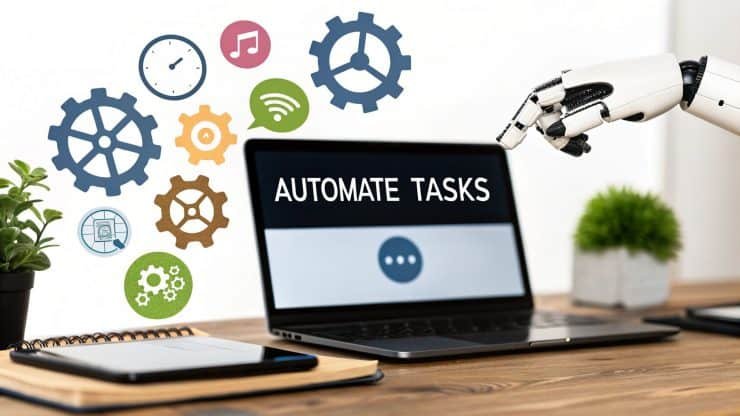
Automation takes workflow connection to the next level. Instead of manually moving data between apps, automation tools allow you to create rules that handle these tasks automatically. For example, you can set up a system where every new email with a specific keyword automatically becomes a task in your project manager.
Automation works by defining triggers and actions. A trigger is an event that starts the process, and an action is what happens next. Once set up, this system runs in the background without requiring your attention.
The biggest advantage of automation is consistency. It ensures that tasks are always handled the same way, reducing the chance of human error. It also saves significant time, especially for repetitive digital work that happens daily.
Reducing Manual Copy-Paste Between Productivity Apps
One of the most common productivity leaks comes from manual copy-paste work. Whether it is transferring notes, updating spreadsheets, or moving information between apps, this repetitive action adds unnecessary friction to your workflow.
By connecting apps properly, you can eliminate most of these manual transfers. Instead of copying information, you can allow apps to share data directly. For example, notes can automatically sync to cloud storage, or meeting summaries can be sent directly to your task manager.
Reducing copy-paste work not only saves time but also reduces the risk of mistakes. When information flows automatically, it stays consistent across all platforms, improving accuracy and organization.
Creating Seamless Communication Between Work Apps
Communication tools are often separate from productivity tools, which creates another layer of duplication. For example, a task discussed in a chat app may need to be manually added to a project board later. This creates extra work and increases the chances of missing important details.
A smarter approach is to connect communication tools with your workflow system. This allows messages, tasks, and updates to move between apps automatically. For instance, a flagged message in a chat app can become a task in your project manager without manual input.
When communication is integrated with workflows, decisions turn into actions more quickly. This reduces delays and keeps projects moving forward efficiently.
Syncing Files and Documents Across Platforms
File management is another area where repetition often occurs. Many people save the same document in multiple places, such as local storage, cloud drives, and email attachments. This not only wastes storage space but also creates confusion about which version is the latest.
Connecting your file storage with other apps solves this problem. When documents are stored in one central location and linked to your workflows, you no longer need to duplicate files. Instead, you access them directly from connected apps.
This approach ensures that everyone working on a project always has access to the most updated version of a file. It also reduces the risk of working with outdated information.
Designing a Workflow That Works Across Devices
Modern workflows are not limited to a single device. You might start a task on your phone, continue it on your laptop, and review it on a tablet. Without proper connection between apps, this can lead to repeated steps or lost progress.
To avoid this, it is important to use apps that support cross-device syncing. This allows your workflow to continue seamlessly regardless of which device you are using.
When your apps are connected across devices, your work becomes more flexible and mobile. You can switch between environments without worrying about losing data or repeating tasks.
Avoiding Over-Complex Automation Systems
While automation and integration are powerful, it is important not to overcomplicate your system. Some users try to connect too many apps at once, creating a complicated network that becomes difficult to manage.
A better approach is to keep your workflow simple and focused. Start by connecting only the most repetitive tasks. Once you are comfortable, you can gradually add more connections.
Simplicity ensures that your system remains stable and easy to maintain. The goal is not to automate everything, but to eliminate unnecessary repetition in a practical way.
Maintaining and Improving Your Connected Workflow System
Building a connected workflow is not a one-time task. As your work habits change, your system should evolve with them. It is important to regularly review your app connections and check whether they are still useful.
Sometimes, you may find that certain integrations are no longer needed or that new tools offer better automation options. Updating your system ensures that it remains efficient and relevant.
A well-maintained workflow system continues to save time and reduce repetition over the long term. It becomes a reliable foundation for your daily productivity.
Conclusion
Learning smart ways to connect workflows across multiple apps without repeating tasks is one of the most effective strategies for improving digital productivity. Instead of manually transferring information between tools, you can build a connected system where apps communicate seamlessly and work together automatically.
This approach reduces repetitive work, saves time, and minimizes errors. It also creates a smoother and more organized digital experience where your focus stays on meaningful tasks instead of routine copying and updating.
By identifying repetitive actions, using integrations, applying automation, and maintaining a simple workflow structure, you can transform the way you work across multiple apps. In the long run, this not only improves efficiency but also makes your digital life more structured, calm, and productive.
FAQs
1. What does it mean to connect workflows across apps?
Connecting workflows means integrating different apps so they can share data automatically, reducing the need for manual tasks like copying information or updating multiple platforms separately.
2. How can I avoid repeating tasks between apps?
You can avoid repeating tasks by using app integrations, automation tools, and a central workspace where information flows automatically between connected platforms.
3. Do I need technical skills to connect workflows?
No, most modern apps offer simple built-in integration options that do not require technical knowledge. Many automation tools also use easy setup processes.
4. What are the benefits of connected workflows?
Connected workflows save time, reduce errors, improve organization, and help you stay focused by eliminating repetitive digital tasks.
5. Can beginners use workflow automation easily?
Yes, beginners can start with simple integrations and gradually explore automation. Starting small helps you build a system that is easy to manage and expand over time.