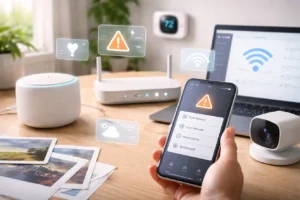
In 2026, the idea of a “home” has changed dramatically. Our houses are no longer just physical spaces where we sleep and relax. They have become networks of connected devices that constantly communicate with each other.
From smart lights and thermostats to security cameras and voice assistants, the modern home now runs on technology. Many households use platforms like Google Home, Apple Home, or Amazon Alexa to manage their devices.
When I started building my own smart home, I loved the convenience. I could turn off lights with my voice, check my door camera remotely, and automate everyday tasks.
But over time, I realized something important: every connected device adds a potential security risk.
Today, the average smart home can have 40–70 connected devices, and each one represents a possible entry point if it isn’t properly secured.
The good news is that protecting your smart home doesn’t require advanced technical skills. With a few practical steps, you can significantly reduce your risks and keep your devices safe.
Here are the strategies I follow to keep my smart home secure in 2026.
1. Separate Smart Devices From Your Main Network
One of the biggest security mistakes people make is connecting all devices to the same Wi-Fi network.
Think about it this way: your laptop, phone, banking apps, and personal files are extremely valuable. Meanwhile, many smart devices—like bulbs or plugs—have basic firmware and limited security.
If one device becomes compromised, an attacker might attempt to move across your network to access more valuable devices. Security experts call this lateral movement.
To reduce this risk, I created a separate Wi-Fi network specifically for smart devices.
How Network Segmentation Helps
Modern routers often allow you to create a secondary network or IoT network.
Here’s what that does:
- Smart devices connect to a separate network
- Personal devices remain on your main network
- Devices cannot easily communicate across networks
This setup creates a kind of digital moat around your important devices.
Many modern routers also include options like client isolation, which prevents smart devices from communicating directly with each other unless necessary.
For me, this single change dramatically improved my home network security.
2. Replace Passwords With Passkeys and Strong Authentication
Passwords have been the standard for decades, but they’re increasingly vulnerable to modern attacks.
Instead of relying solely on passwords, many platforms now support passkeys and biometric authentication.
Platforms like Google Home and Apple Home now allow users to sign in using passkeys tied to their devices.
Why Passkeys Are More Secure
Passkeys work differently than traditional passwords:
- They use cryptographic keys
- They are stored securely on your device
- Authentication often requires fingerprint or face recognition
Because the authentication is tied to your physical device and biometric verification, it becomes extremely difficult for someone to access your account remotely.
I enabled passkeys on my main smart home accounts, and it immediately gave me more confidence in my system’s security.
If passkeys aren’t available, enabling multi-factor authentication (MFA) is the next best option.
3. Regularly Review Device Permissions
Multiple ecosystems or services can share devices as smart home platforms expand.
For example, modern devices using the Matter smart home standard allow multiple apps or platforms to control them.
While this is convenient, it can also create something called permission creep, where users may inadvertently grant excessive access to their devices across various platforms.
Over time, devices may remain connected to apps or services that you no longer use.
What I Do Once a Month
I set a reminder to review my smart home settings and check:
- Connected apps
- Linked platforms
- Shared device permissions
If I see anything unfamiliar or unnecessary, I revoke access immediately.
It only takes a few minutes, but it helps ensure that only trusted services control my devices.
4. Keep Device Firmware Updated
Software updates are not just about new features—they often include security patches.
Manufacturers consistently address vulnerabilities that could potentially lead to exploits.
Unfortunately, many users forget to update their smart devices.
In my home, I enable automatic firmware updates whenever possible.
Every few weeks, if a device doesn’t support automatic updates, I manually check.
This simple habit helps close potential security gaps before they become a problem.
5. Disable Outdated Router Features
Despite their convenience, many home routers still incorporate legacy features that pose security risks.
One example is Universal Plug and Play (UPnP).
UPnP allows devices to automatically open ports on your router to communicate with external services.
While convenient, it can sometimes allow devices to create unintended openings in your network, which can lead to security vulnerabilities if not properly managed.
Because newer smart home protocols no longer depend on it, I disabled UPnP in my router settings.
The majority of router manufacturers offer straightforward instructions for modifying these settings if you are unclear about them.
6. Secure the Physical Side of Smart Devices
Smart home security isn’t just about software. Physical access can also matter.
For example, some outdoor devices—like security cameras—use Ethernet cables for power and internet connectivity.
If those cables are easily accessible, someone could potentially unplug the device or interfere with the connection.
To reduce this risk, I made sure:
- Cables are routed through protected areas
- Outdoor connections are not exposed
- Network equipment is stored in a secure location
While physical attacks are less common than online threats, taking simple precautions, such as regularly updating device firmware and using strong, unique passwords, can prevent unnecessary vulnerabilities.
7. Choose Smart Devices From Trusted Brands
When I buy a new smart device, I look for a few important security features:
- Regular software updates
- End-to-end encryption
- Strong authentication options
Devices that support modern standards, like the Matter Smart Home Standard, also tend to follow stricter security guidelines.
Before purchasing a device, I usually spend a few minutes checking the manufacturer’s support page to see how often they release updates.
Reliable brands typically maintain security updates for several years.
Frequently Asked Questions
Is it possible for someone to hack a smart home device?
While it’s uncommon, poorly secured devices can become entry points if they use outdated software or weak credentials. Following basic security practices greatly reduces this risk.
Are smart homes safe to use?
Yes. When properly configured, smart home systems can be very secure. Most issues occur when devices are left with default settings or outdated software, which can make them vulnerable to attacks, highlighting the importance of regularly updating software and changing default settings to enhance security.
Should I install security software on my router?
Some modern routers include built-in security monitoring or firewall features. These tools can help identify suspicious activity and add an extra layer of protection.
Are indoor smart cameras safe?
Indoor cameras can be safe if they support encryption and secure authentication. It’s also a beneficial idea to review privacy settings and disable remote access if you don’t need it.
Final Thoughts
Smart homes offer incredible convenience. Automations can save time, reduce energy use, and make everyday life easier.
However, we should always balance convenience with security.
When I started building my smart home, I focused mostly on features and gadgets. Over time, I realized that a secure foundation is just as important as the devices themselves.
By separating networks, enabling strong authentication, updating firmware, and reviewing permissions regularly, you can dramatically reduce the chances of security problems.
The good news is that most of these steps only take a few minutes to set up.
Once they’re in place, you can enjoy the benefits of smart technology while keeping your home—and your data—safe.