
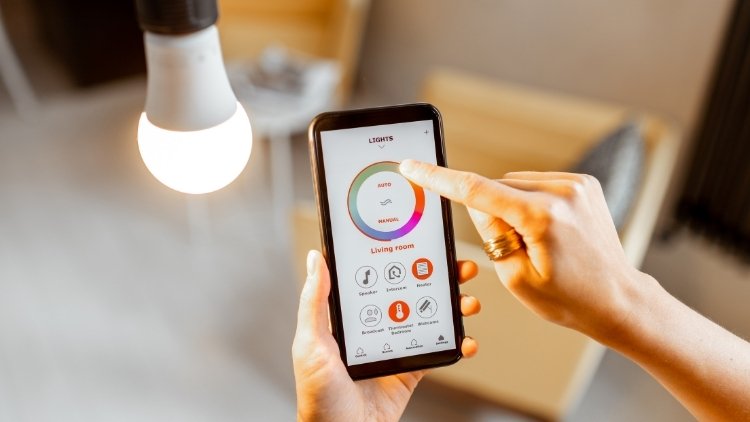
Smart lighting looks simple on the surface—install a smart bulb, connect it to Wi-Fi, and control it from your phone or voice assistant. But daily use often reveals frustrating problems: lights not responding, delayed commands, bulbs going offline, schedules failing, or automation working only occasionally.
Defective devices do not cause most of these issues. They usually come from poor placement, weak network coverage, overloaded apps, outdated firmware, or setup choices that create small reliability problems over time.
When smart lighting becomes inconsistent, people stop trusting it. Instead of making life easier, it creates extra steps and unnecessary frustration. A light that works only “most of the time” is often worse than a normal switch.
The excellent news is that reliability can improve significantly without replacing your entire setup. A few practical adjustments in placement, connectivity, routines, and maintenance can make smart lighting far more dependable every day.
This guide explains how to make smart lighting more reliable with realistic fixes, common mistakes to avoid, and simple habits that help your system work consistently.
Why Smart Lighting Becomes Unreliable
Before resolving the problem, it helps to understand why it happens.
Smart lighting systems depend on more than the bulb itself. They rely on stable power, strong wireless communication, compatible apps, working automation rules, and sometimes cloud services.
If even one part becomes unstable, the experience suffers.
Weak Wi-Fi or Signal Interference
Many smart bulbs and switches depend on strong Wi-Fi signals. If the router sits too far away or walls block it, the connection becomes unstable.
This often causes delayed responses or devices showing as “offline.”
Overloaded Smart Home Apps
Too many automation rules, duplicate routines, or multiple apps controlling the same lights can create conflicts.
For example, one schedule may turn lights off while another automation tries to turn them on.
Power Interruptions
Smart bulbs need constant power from the wall switch. If someone turns off the physical switch, the smart features stop working entirely.
This creates confusion when app controls suddenly fail.
Old Firmware
Manufacturers release updates to fix bugs, improve compatibility, and strengthen security. Ignoring updates often causes long-term reliability problems.
Poor Device Placement
Hubs, bridges, and smart speakers placed inside cabinets, behind TVs, or near heavy electronics often perform worse because signals are blocked or interrupted.
Start With a Strong Network Foundation
Most smart lighting issues begin with network instability.
Improving the network often solves more problems than replacing devices.
Place the Router More Centrally
If you place your router in a far corner of the house, devices on the opposite side may struggle.
Move it toward a central location if possible.
Avoid placing it
- behind large furniture
- inside closed cabinets
- near microwaves
- next to TVs or large metal appliances
- directly on the floor
Better placement improves coverage immediately.
Use Separate Wi-Fi Bands Carefully
Many smart devices work better on 2.4GHz Wi-Fi rather than 5GHz.
The 2.4GHz band offers:
- longer range
- better wall penetration
- stronger compatibility with older smart devices
If your router combines both bands automatically, check whether your devices are connecting properly.
Avoid Cheap Signal Extenders That Cause More Problems
Basic Wi-Fi extenders sometimes create unstable handoffs between networks.
Instead of weak repeaters, a stable mesh system or better router placement often works better.
Reliability matters more than speed for smart lighting.
Keep Smart Switches and Bulbs Powered Correctly
A common mistake is treating smart bulbs like regular bulbs.
They need continuous power.
Do Not Turn Off Smart Bulbs at the Wall
When someone uses the wall switch, the bulb loses power and disappears from the app.
This leads people to think the bulb is broken.
If you use smart bulbs:
- keep wall switches permanently on
- use app control, routines, or voice commands instead
Some households place a small switch cover to prevent accidental shutoffs.
Consider Smart Switches Instead of Only Smart Bulbs
In shared homes, smart switches are often more reliable than smart bulbs.
Why?
Because people naturally use wall switches. A smart switch keeps normal behavior while still supporting automation.
This feature reduces daily confusion.
Use Quality Power Sources
Cheap power strips, overloaded sockets, or unstable wiring can interrupt smart devices.
For important lighting zones like entrances or workspaces, stable power matters.
Reduce App Conflicts and Automation Errors
Too much automation creates hidden problems.
Simple systems are usually more reliable.
Use One Primary Smart Home App
Trying to manage the same lights through multiple platforms can cause command conflicts.
For example:
- manufacturer app
- voice assistant app
- third-party automation app
- separate scheduling app
Choose one main control system and use others only when necessary.
This keeps routines predictable.
Review Old Automation Rules
Many people forget old schedules created months ago.
These outdated routines often interfere with new ones.
Check for:
- duplicate schedules
- conflicting bedtime routines
- old vacation settings
- sunrise/sunset overlaps
- location-based triggers that no longer make sense
Removing unnecessary rules improves consistency fast.
Name Devices Clearly
“Living Room Light 3” creates confusion.
Use names like:
- Desk Lamp
- Hallway Entry Light
- Bedroom Reading Lamp
Clear naming helps faster troubleshooting and more accurate voice commands.
Improve Voice Assistant Performance
Smart lighting often depends on voice assistants, and poor voice control creates frustration.
Place Smart Speakers in Open Areas
A speaker hidden behind decorations or placed near loud TVs struggles to hear commands correctly.
Better placement:
- chest-height surfaces
- open shelves
- away from constant background noise
- not too close to reflective walls
Use Simple Device Names
Avoid similar names, like:
- Kitchen Light
- Kitchen Lamp
- Kitchen Ceiling
Voice assistants can confuse them.
Clearer naming improves accuracy.
Limit Too Many Similar Commands
If routines sound alike, mistakes happen.
Example:
“Turn on night lights” and “Turn on living lights”
Simple, distinct commands work better.
Step-by-Step Reliability Reset Checklist
If your smart lighting feels inconsistent, use this reset process.
Step 1: Restart the router.
Many temporary connection issues begin with network instability.
Restart the router and allow devices to reconnect fully.
Step 2: Check Device Signal Strength
Review which bulbs or switches frequently disconnect.
These often reveal weak signal zones.
Step 3: Update Firmware
Check apps for updates to:
- bulbs
- switches
- hubs
- bridges
- voice assistants
Updates often fix reliability issues quietly.
Step 4: Remove Duplicate Automations
Delete old or unnecessary schedules.
Keep routines simple.
Step 5: Reconnect Problem Devices
Sometimes removing and re-adding one unstable device fixes recurring issues.
Do not reset the entire home unless necessary.
Step 6: Test for One Full Week
Track which rooms fail most often.
Patterns help identify real causes instead of random guessing.
Common Mistakes That Make Smart Lighting Worse
Occasionally the problem comes from habits, not hardware.
Buying Too Many Brands at Once
Different ecosystems do not always work smoothly together.
Using five brands for six rooms often creates compatibility problems.
A more consistent setup with fewer brands is easier to manage.
Ignoring Firmware for Months
People update phones regularly but forget smart home devices.
This oversight causes silent problems over time.
Using Automation for Everything
Not every light needs a smart rule.
Too much automation creates maintenance work.
Keep automation focused on places where it truly helps.
Forgetting Guest and Family Use
If only one person understands the system, reliability drops for everyone else.
A good smart lighting setup should feel simple for the whole household.
Resetting Devices Too Quickly
Frequent factory resets often create new issues instead of solving old ones.
Always verify power, Wi-Fi, and routines first.
Expert Recommendations for Long-Term Reliability
Reliable smart lighting is about consistency, not complexity.
Prioritize Entry Points First
Focus first on:
- hallway lights
- bedroom lights
- kitchen lights
- entrance lighting
These high-use areas benefit most from dependable automation.
Keep a Backup Manual Option
Always maintain normal switch access.
If Wi-Fi fails, basic lighting should still work.
Convenience should never replace usability.
Create a Monthly Maintenance Habit
Once a month, review:
- firmware updates
- disconnected devices
- failed routines
- battery-powered accessories
- app permissions and notifications
Small maintenance prevents major frustration later.
Protect Privacy Alongside Reliability
Smart lighting systems often collect usage patterns.
Review app permissions and disable unnecessary access, such as
- location tracking
- microphone permissions where unnecessary
- excessive account sharing
Reliable systems should also be secure.
Before vs After: A Realistic Improvement Example
Before improvements:
- bedroom lights responded slowly
- hallway schedules failed randomly
- voice assistant misunderstood commands
- two bulbs frequently went offline
After small changes:
- router moved to central shelf
- duplicate routines deleted
- bulbs renamed clearly
- one weak extender removed
- firmware updated
Result:
Commands became faster, offline issues dropped, and daily trust in the system improved without buying new devices.
Most reliability improvements come from setup quality, not expensive upgrades.
FAQs
Do smart bulbs work better than smart switches?
It depends on the household. Smart bulbs are flexible and straightforward to install, but smart switches are often more reliable because people naturally use wall switches. In shared homes, switches often create fewer problems.
How often should I update smart lighting firmware?
Check at least once a month. Many updates include stability fixes, security improvements, and better compatibility with voice assistants or hubs.
Why do smart lights show offline even when the power is on?
Usually, such issues happen because of weak Wi-Fi, router issues, signal interference, or app sync problems. Restarting the router and checking device placement often helps first.
Should every room use smart lighting?
Not necessarily. Start with high-use areas like entrances, bedrooms, and kitchens. Too much automation can create unnecessary complexity without adding real value.
Is a smart home hub always necessary?
No. Some systems work well without a hub, but larger homes with many devices often benefit from one because it improves communication and reduces dependence on direct Wi-Fi connections.
Conclusion
Smart lighting should remove friction from daily life, not create it.
When lights respond slowly, go offline, or behave unpredictably, the issue is usually not the technology itself—it is often the setup behind it. Weak Wi-Fi, poor device placement, unnecessary automation, and neglected updates are the real causes in many homes.
Reliable smart lighting comes from practical decisions: stronger network placement, simpler routines, better naming, stable power, and regular maintenance.
The goal is not to create the most advanced smart home. The goal is to create one that works every day without frustration.
A dependable light that turns on exactly when expected is far more valuable than a complicated automation system that works only occasionally.
Start small, fix the basics first, and build reliability before adding more features. That approach creates a smarter home that people actually enjoy using.