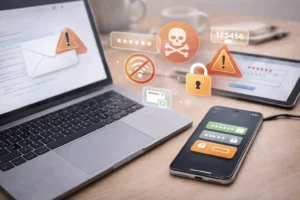
I still remember the day I realized my personal and work data was at risk. It started with a subtle alert from my email provider about suspicious login attempts. At first, I brushed it off as a glitch, but then I noticed unusual activity on my accounts—unrecognized devices, strange notifications, and even a payment I didn’t authorize. The feeling of vulnerability was immediate. My data—everything from passwords and banking information to sensitive work files—was at risk of being stolen.
After a tense few hours, I managed to secure my information and prevent what could have become a full-blown data breach. Looking back, I realized the steps I took could help anyone in a similar situation. Today, I’m sharing my experience and practical, beginner-friendly methods that actually worked to save me from a potential data breach.
Understanding the Problem: What a Data Breach Really Means
A data breach happens when unauthorized parties gain access to sensitive information. This can include login credentials, financial records, personal identification, or corporate files.
The consequences of a breach can be severe:
- Identity theft: Hackers can use your personal information for fraudulent activity.
- Financial loss: Unauthorized transactions can drain bank accounts or credit cards.
- Reputational damage: For professionals, leaked work data can impact your career.
- Long-term security risks: Once data is stolen, it may appear on the dark web, making it reusable for years.
In my case, a combination of weak passwords and an old email account linked to multiple services made my data vulnerable. Understanding how hackers exploit these weaknesses was crucial in helping me take immediate action.
Step 1: Act Quickly and Assess the Situation
The first step after noticing suspicious activity is to act fast. Panic can lead to mistakes, but immediate action prevents escalation.
Here’s what I did:
- List compromised accounts: I wrote down every account that might be at risk, from email and banking apps to cloud storage.
- Check for suspicious activity: I reviewed recent logins, device access, and unusual transactions.
- Alert relevant parties: I notified my bank and credit card companies about potential unauthorized activity.
Taking a calm, structured approach helped me understand the scope of the risk without overwhelming myself.
Step 2: Secure Your Accounts with Strong Passwords
One of the biggest vulnerabilities in my situation was weak and repeated passwords. Hackers often exploit these easily.
My approach:
- Unique passwords for every account: I used a different password for email, banking, work accounts, and social media.
- Long and complex combinations: Passwords included letters, numbers, and special characters.
- Password manager: I started using LastPass to manage and generate secure passwords without memorizing them all.
Within hours, changing passwords locked out any unauthorized access and prevented further attempts.
Step 3: Enable Two-Factor Authentication (2FA)
2FA adds an extra layer of security by requiring a second verification step, usually via SMS, authenticator apps, or hardware keys.
Steps I followed:
- Enabled 2FA on all critical accounts, especially email, banking, and cloud storage.
- Chose authenticator apps over SMS where possible, as SMS can be intercepted.
- Saved backup codes in a secure location in case my phone was inaccessible.
This step alone stopped repeated hacking attempts. Even if someone had my password, they couldn’t log in without the second factor.
Step 4: Audit Connected Devices and Applications
I realized some of my old devices and third-party apps still had access to my accounts. Leaving these connections active was a hidden risk.
What I did:
- Removed unknown devices: Checked login activity and logged out suspicious sessions.
- Reviewed app permissions: Recalled which apps had access to my email or cloud accounts and revoked unnecessary permissions.
- Disconnected unused services: I deleted old accounts linked to my email that I no longer used.
By auditing connections, I closed several potential entry points for hackers.
Step 5: Monitor Your Credit and Bank Accounts
Data breaches often lead to financial fraud. I immediately monitored my accounts for unusual activity.
Practical steps:
- Set up bank notifications for every transaction.
- Checked credit reports for unauthorized accounts.
- Enabled fraud alerts with my financial institutions to detect suspicious activity early.
This vigilance gave me control over my financial security and allowed me to respond immediately to any irregularities.
Step 6: Back Up Important Data
Even after securing my accounts, I realized a data breach could still result in data loss. I backed up essential files, photos, and documents.
My method:
- Cloud backup: I used Google Drive for work documents and iCloud for personal photos.
- External storage: Critical files were also saved on an encrypted external hard drive.
- Regular backup schedule: I set reminders to back up data weekly.
Backups provided peace of mind and ensured that even if a breach occurred, I wouldn’t lose important information.
Step 7: Stay Alert for Phishing Attempts
Hackers often use phishing attacks to gain access to your accounts. After my near-breach experience, I became hyper-aware of suspicious emails, messages, and links.
Tips I followed:
- Verify sender addresses: Even familiar names can be spoofed.
- Look for spelling errors or unusual requests: Phishing emails often contain subtle mistakes.
- Avoid clicking unknown links: Type URLs manually or use official apps.
- Educate friends and colleagues: Many breaches spread through social connections.
Being cautious with communications helped me avoid secondary attacks after the initial incident.
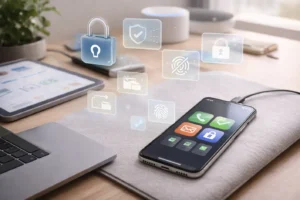
Step 8: Implement Device Security Measures
Securing the devices themselves is just as important as securing accounts. I focused on my phone and laptop since these were my main access points.
Steps I took:
- Enabled device encryption to protect stored data.
- Set strong lock screens with biometrics and PINs.
- Installed updates immediately to patch security vulnerabilities.
These measures added a final layer of defense, making it difficult for hackers to exploit hardware vulnerabilities.
Step 9: Educate Yourself About Security Trends
One of the most valuable lessons I learned was that ongoing awareness is essential. Hackers continuously evolve their tactics, so staying informed is critical.
Practical habits I adopted:
- Subscribed to reputable security blogs and newsletters.
- Followed tech news for updates on breaches affecting major companies.
- Learned about new phishing and malware techniques.
This proactive approach made me less likely to fall victim to future attacks.
Mistakes I Made and Lessons Learned
Looking back, here are mistakes that made me vulnerable:
- Reusing passwords: This gave hackers easy access once one account was compromised.
- Ignoring software updates: My outdated apps had known vulnerabilities.
- Overlooking connected devices: Old devices and apps remained linked to my accounts.
- Not monitoring accounts daily: I missed early signs of suspicious activity.
- Underestimating phishing risks: One accidental click could have caused a full breach.
Learning from these mistakes allowed me to develop habits that prevent similar risks in the future.
Real-Life Example: How a Single Step Prevented Disaster
During the incident, my email provider sent me an alert about a login from a device I didn’t recognize. Instead of ignoring it, I immediately changed my password and enabled 2FA. Within hours, repeated login attempts stopped, and no data was stolen. This one quick action prevented what could have been a significant data breach affecting both personal and work accounts.
Practical Tips for Long-Term Security
From my experience, here’s what works best for ongoing protection:
- Use a password manager: Generate strong, unique passwords for each account.
- Enable 2FA wherever possible: Adds an essential layer of protection.
- Regularly audit accounts and devices: Close unused connections.
- Stay vigilant about phishing attempts: Awareness is key.
- Back up data consistently: Protects against both breaches and accidental loss.
- Update software and apps immediately: Prevents exploitation of known vulnerabilities.
Incorporating these habits makes it far less likely that a potential breach will succeed.
Conclusion:
My near-miss with a data breach taught me that prevention is not optional—it’s essential. By acting quickly, securing accounts, enabling 2FA, auditing devices, monitoring financial activity, backing up data, and staying informed, I was able to prevent what could have been a major disaster.
The steps I followed are practical, beginner-friendly, and require no expensive tools. They’re habits anyone can adopt to protect sensitive information from hackers and cybercriminals. Your data is valuable, and taking these proactive measures ensures that it stays safe. Don’t wait for a breach to happen—start protecting yourself today.
FAQs
1. How can I tell if my data has been compromised?
Look for unusual account activity, login alerts from unfamiliar devices, unauthorized transactions, and unexpected emails asking for sensitive information.
2. Is two-factor authentication really necessary?
Yes. 2FA adds a critical layer of security that prevents hackers from accessing accounts even if they have your password.
3. Can I prevent a data breach without installing security software?
Absolutely. Strong passwords, 2FA, software updates, device security, and cautious online behavior are sufficient for most users.
4. How often should I back up my data?
At least once a week for personal use, and more frequently for critical work-related files. Cloud storage combined with external backups is ideal.
5. What’s the most common mistake people make that leads to breaches?
Reusing passwords across multiple accounts is one of the biggest mistakes. It makes it easy for hackers to compromise several accounts if one is exposed.