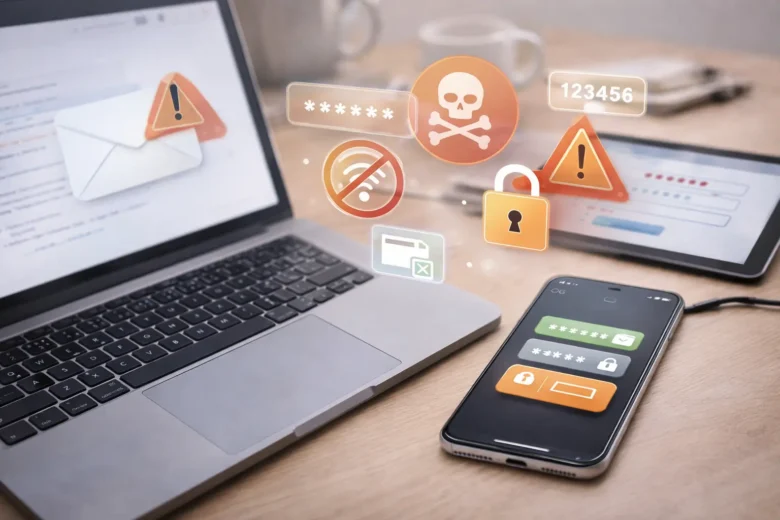
It often starts with something small—an unfamiliar login alert, a strange email, or an app asking for permissions that don’t quite make sense. Most people assume these are minor issues or ignore them altogether. After all, nothing serious has happened yet, right?
The reality is that many online security problems don’t come from advanced hacking techniques. They come from simple, everyday habits that people overlook. These habits may seem harmless, but over time, they can quietly expose personal data, accounts, and devices to unnecessary risks.
This article breaks down the most common online security mistakes people make—often without realizing it—and explains why they happen. More importantly, it offers practical ways to reduce these risks through simple, consistent actions.
Why Small Security Mistakes Matter More Than You Think
Overconfidence in Basic Protection
Many users believe that having a password or a phone lock is enough. While these are essential, they are only the first layer of protection. Cyber threats today are designed to exploit small gaps, not just obvious weaknesses.
Convenience Over Caution
It’s easy to reuse passwords, skip updates, or click “Allow” on app permissions just to save time. These shortcuts may seem harmless in the moment but can create long-term vulnerabilities.
Lack of Awareness
Not all security risks are obvious. Some issues—like unsecured Wi-Fi connections or outdated apps—don’t show immediate consequences, which makes them easy to ignore.
Common Online Security Mistakes People Make
Using the Same Password Across Multiple Accounts
Reusing passwords is one of the most common habits. If one account gets compromised, others may become vulnerable as well.
This often happens because managing multiple passwords feels overwhelming, especially for users with many accounts.
Ignoring Software Updates
Updates are frequently delayed because they seem inconvenient. However, many updates include important security fixes that address known vulnerabilities.
Skipping them means leaving your device exposed to risks that have already been identified.
Clicking on Suspicious Links Without Checking
Emails, messages, or pop-ups often contain links that appear legitimate. Without careful inspection, it’s easy to click on something that leads to a harmful site.
Even seasoned users can miss subtle signs when they are pressed for time.
Allowing Too Many App Permissions
Many apps request access to contacts, location, camera, and storage—even when it’s not necessary for their function.
Granting these permissions without review may increase the chances of data misuse.
Not Using Two-Factor Authentication
Relying solely on a password is no longer enough for many accounts. Two-factor authentication adds an extra layer, but many users skip it because it feels like an extra step.
If you’re unsure how much of a difference it makes, you can explore how two-factor authentication changed my digital security habits:
https://sveusvemu.com/why-two-factor-authentication-changed-my-digital-life/
Connecting to Unsecured Public Wi-Fi
Public networks in cafes, airports, or hotels are convenient but often lack proper security. Sensitive activities like logging into accounts or making transactions on these networks may increase exposure.
Neglecting Regular Device Checks
Many people only think about security when something goes wrong. People often overlook regular checks, such as reviewing installed apps or scanning for unusual activity.
This guide on keeping mobile devices secure with regular checks provides a helpful approach:
https://sveusvemu.com/how-i-keep-mobile-devices-secure-with-regular-checks/
Practical Steps to Improve Your Online Security
1. Create Strong and Unique Passwords
Use different passwords for each account. Consider combining words, numbers, and symbols in a way that is memorable but difficult to guess.
Password managers may help simplify this process.
2. Enable Two-Factor Authentication Wherever Possible
Adding an extra verification step significantly reduces the chances of unauthorized access.
It may feel like a small inconvenience, but it adds a strong layer of protection.
3. Review App Permissions Regularly
Go through your device settings and check what access each app has. Remove permissions that don’t seem necessary.
This small step may reduce unnecessary data exposure.
4. Keep Your Devices Updated
Make it a habit to install updates regularly. These updates often address security gaps that could otherwise be exploited.
5. Be More Careful with Links and Emails
Before clicking on any link:
- Check the sender
- Look for unusual wording
- Avoid urgent or suspicious messages
Even a few seconds of checking may help prevent larger issues.
6. Avoid Sensitive Activities on Public Wi-Fi
If possible, wait until you’re on a secure network before accessing important accounts.
If you must use public Wi-Fi, limit your activity to non-sensitive browsing.
7. Monitor Your Accounts for Unusual Activity
Regularly check login history, notifications, and alerts. Early detection may help prevent further issues.
If you’re interested in real-life prevention steps, this article explains steps that helped avoid a potential data breach:
https://sveusvemu.com/steps-that-saved-me-from-a-potential-data-breach/
What Changed My Approach to Online Security
Over time, small experiences tend to shift how people approach digital safety.
In many instances, the pivotal moment isn’t a significant breach, but rather the realization of how frequently minor risks manifest in daily usage. For example, ignoring updates, reusing passwords, or quickly allowing permissions without thinking.
What worked better was not trying to become overly technical but focusing on consistency. Simple habits like checking devices regularly, being cautious with links, and reviewing settings made a noticeable difference.
One common mistake was assuming that “nothing has happened yet” meant everything was safe. In reality, many risks build slowly and quietly.
Common Mistakes to Avoid
- Using one password for multiple accounts
- Ignoring update notifications repeatedly
- Clicking links without verifying sources
- Allowing all app permissions by default
- Skipping two-factor authentication
- Using public Wi-Fi for sensitive tasks
- Never reviewing account activity
Pro Tips for Better Digital Safety
- Set a monthly reminder to review your security settings
- Keep your most important accounts (email, banking, cloud storage) extra secure
- Use built-in security features on your device before installing extra tools
- Limit the number of apps you install to only what you actually use
- Stay aware of small changes in device behavior—they may signal something unusual
FAQs
Why do small security mistakes matter so much?
Small mistakes may seem harmless individually, but over time they can create multiple weak points. These gaps may increase the chances of data exposure or unauthorized access.
Is two-factor authentication really necessary?
It adds an extra layer of protection beyond passwords. While it may take a few extra seconds, it may significantly reduce the risk of account compromise.
How often should I check my device security?
A quick check once a month may help. Reviewing apps, permissions, and updates regularly keeps things under control without requiring much time.
Are public Wi-Fi networks always unsafe?
Not always, but they are generally less secure than private networks. It’s better to avoid sensitive activities while using them.
Do I need advanced tools to stay secure?
Not necessarily. Basic habits like strong passwords, updates, and careful browsing may go a long way in improving overall security.
Conclusion
Online security doesn’t always depend on advanced knowledge or complex tools. Often, it comes down to small, consistent actions that reduce unnecessary risks.
By becoming more aware of everyday habits—like password reuse, ignoring updates, or clicking links without checking—you can build a stronger foundation for digital safety.
The goal isn’t to eliminate every risk but to reduce exposure through simple, practical steps. Over time, these small changes may lead to a more secure and confident online experience.